
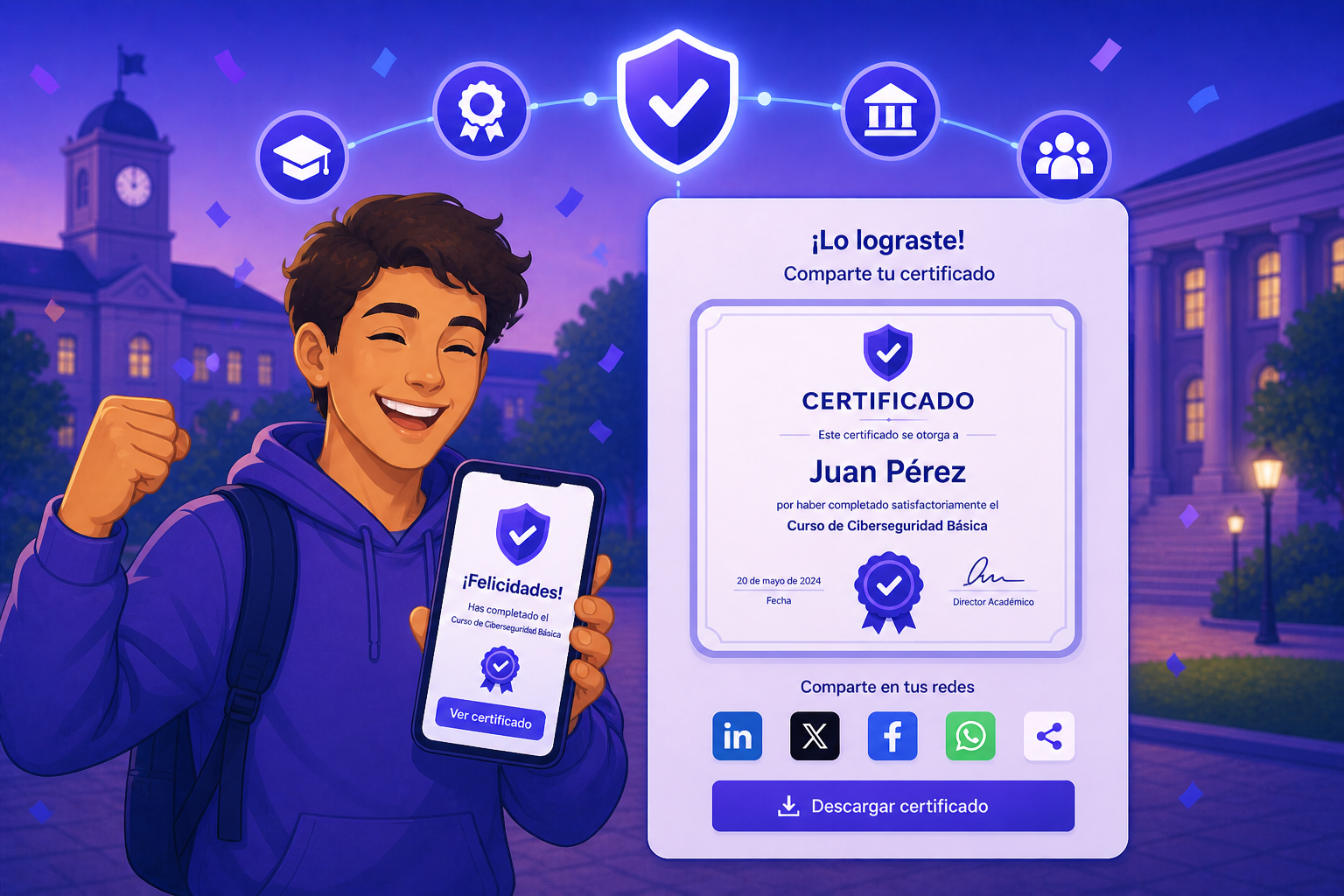
A verifiable educational digital credential is an online accreditation that shows that a person has completed a training, obtained a competence or received a degree issued by an institution.
Unlike a PDF diploma, a verifiable credential is intended to be shared, consulted and validated online. This allows companies, universities or other third parties to verify their authenticity without relying on emails, calls or manual verifications.
Example of educational digital credential
A well-designed digital credential should display essential information in a clear, professional and verifiable way. The objective is not only that it has a good visual presentation, but that it transmits confidence from the first glance.
An example of a credential might include:
- Name of the issuing institution: University, academy, company or training platform.
- Name of the student or holder: person who has received the accreditation.
- Training name: Course, program, microcredential or accredited degree.
- Issue Date: when the credential is generated.
- Credential Status: Active, revoked, expired or replaced.
- Unique identifier: internal code that allows to distinguish that credential from any other.
- Link or QR Verification: Shortcut to validate authenticity.
What should a company see when verifying it
When a company or institution receives a digital credential, it needs to quickly understand three things: who issued it, who it belongs to and whether it is still valid.
Therefore, a verification page should clearly display:
- Data of the issuing institution.
- Main data of the accredited training.
- Identity of the credential holder.
- Issue date and, if applicable, expiration date.
- Current status of the credential.
- Visual confirmation that the credential is verifiable.
Why an example helps sell the training
Showing an example credential on the web helps students, companies and academic managers understand the real value of the system before implementing it.
For an educational institution, a verifiable credential not only accredits training. It also improves the perception of quality, strengthens the brand and makes it easier for students to share their achievements in professional environments such as LinkedIn.
Difference between a pretty image and a verifiable credential
A credential should not stay in an attractive image. If it cannot be verified, it still has many of the limitations of a traditional PDF.
The real difference is in trust:
- Image or PDF: It can be shared, but it is difficult to check if it has been manipulated.
- Digital credential: It can be consulted online and offer more context.
- Verifiable credential: It allows to confirm origin, ownership and status more securely.
Cases where it is convenient to use an example credential
An example credential can be very useful before launching a real project, especially in presentation, internal validation or commercial pick-up phases.
- Presentations to academic or management teams.
- Demonstrations for universities and educational centres.
- Landing pages of training programs.
- Explanations for students before receiving their certificate.
- Commercial material for online courses or corporate training.
What data should be prepared before issuing credentials
Before implementing a digital credential system, the institution must define what information it wants to display and what information should be used for verification.
- Legal or commercial name of the issuing institution.
- Brand logo and visual elements.
- Official name of the formation.
- Minimum data of the student or owner.
- Accredited duration, level or competences.
- Broadcast language or languages.
- Criteria for revoking or updating a credential.
How it should be integrated into the student’s experience
The credential must be delivered in a simple and understandable way. Ideally, the student receives a direct link to their credential and can easily share it from mobile or desktop.
A good experience should allow:
- Check online credential.
- Download a visual version if the institution wishes.
- Share the credential on LinkedIn.
- Send the link to a company or third party.
- Access a clear verification page.
How Credify helps
Credify allows universities, schools, businesses and online platforms to create verifiable digital credentials with an experience prepared for issuance, delivery, sharing and verification.
The platform is designed so that the institution can show professional credentials, maintain control over its validity and offer students and third parties an easy way to verify the authenticity of each accreditation.
Frequently asked questions
Can an example credential use dummy data?
Yes. It is advisable to use fictitious data in public demos, as long as it is clear that it is an example credential and not a real accreditation.
Should you include a QR?
You can include a QR or a verification link. The important thing is that any third party can easily access the authenticity check.
Can the design be customized?
Yes. The credential must be able to adapt to the visual identity of the institution, including logo, colors and communication style.
What if a credential is no longer valid?
The system should allow you to change its state, for example to revoked, expired, or replaced, so that any verification displays updated information.
Next step
If you want to see how a digital credential could apply to your institution, the next step is to define a first use case: a micro-credential, a course, a title or an internal training.
Universities · Educational centres · Businesses · Online Courses